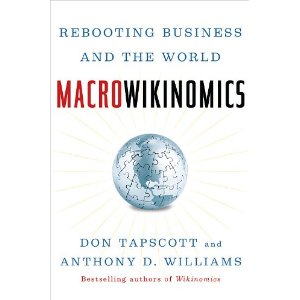
 I attended a webinar on Discovery Education a few weeks ago which was essentially a promo for this book. Co-author Anthony D. Williams gave a 35-minute talk/slideshow laying out the scope of the book, and then fielded a few questions from the audience. I got a chance to answer a couple of questions:
“How can we enact change in the classroom if we don’t have the funds for the technology?”
He answered that it is definitely a political priority, and funding from the private sector is essential. Bill Gates and Mark Zuckrberg start buying tablets for classrooms!
“How long is it going to take for change to happen in education?”
He said that it will take a whole generation of people to enact the change, and it’s up to the 25-30 year olds to make it happen. We’re the first people to enter the workforce with at least 50% of our lives spent immersed in the Internet.
The Age of Networked Intelligence: It’s (sort of) Happening at my University
This was the first time I’d ever interacted with an author in such a manner before, and it made me realize how we really are entering into an age of networked intelligence, whether we like it or not. The companies and institutions who react and shift their ways of thinking from the relic of the Industrial age model will be the ones to succeed. It’s great to see that UBC is taking the step of encouraging the use of open-source blogging software. I think it’s a step in the right direction at least.
 I gave a quick Prezi to my class at UBC about the nature of the webinar, and then we talked about how some of the principles might apply to education. In class we talked about the greatness (and pitfalls) of Wikipedia, and how it represents the true power of crowdsourcing, and a couple of newer sites such as Wolfram Alpha and Curriki.org.
Seeing as UBC is pushing us to keep a blog (using WordPress) during our year in the education program, I thought I’d keep a blog going about this book as I read it. Taking a few notes and jotting down major ideas is a good way for me to keep track of what I’m reading.
A book for those who say they can’t read books
I find it interesting to note how the book is broken down into fairly short subsections. My guess is that Tapscott and Williams are writing with digital natives in mind. They know that people are reading online more often than they read hard copy books, and online reading involves much shorter pieces of text at a time. By structuring their book in this way, they’re making it easier to read. Rarely will you read more than two or three pages without coming to a new heading or sub-heading.
To further reach the digital natives, Macrowikinomics is being presented in 12 parts on the Huffington Post. The first article is called Rebooting the Economy. I think that posting a summarized version of the book, in online newspaper form, is a really cool idea, and is spreading the message about the reboot required to change our ways of thinking.
I feel like I have a lot to say about this book and one single post for a review wouldn’t be fair, so I’m going to split it up into sections.